
Hitting a baseball in MLB The Show 26 can feel like trying to catch a fly with chopsticks. When you are staring down a 102 mph four-seam fastball followed immediately by an 84 mph sweeping slider, your reaction time needs to be razor-sharp. If you are a beginner, using the wrong settings makes this uphill battle completely impossible.
The default settings the game hands you are built for cinematic presentation, not performance. To actually start making solid contact and scoring runs, you need to change a few core options.
Here is a breakdown of the exact settings you need to change right now to stop striking out and start driving the ball.
1. The Hitting Interface: Move to Zone Hitting
When you first start the game, it might tempt you to use Timing or Directional hitting. While these seem easier because you only have to press one button, they place your success entirely in the hands of the game's internal random number generator. If your timing is "Good," but the computer decides your batter swung under the ball, you pop out.
To take control of your destiny, switch your Hitting Interface to Zone.
Zone hitting introduces the Plate Coverage Indicator (PCI). You use the left analog stick to move this yellow indicator around the strike zone to track the ball, while using the buttons to swing. It requires more coordination, but it gives you 100% control over where your bat meets the ball. If you square up a pitch with the PCI, it results in a hard hit, period.
2. The Camera Angle: Strike Zone or Strike Zone High
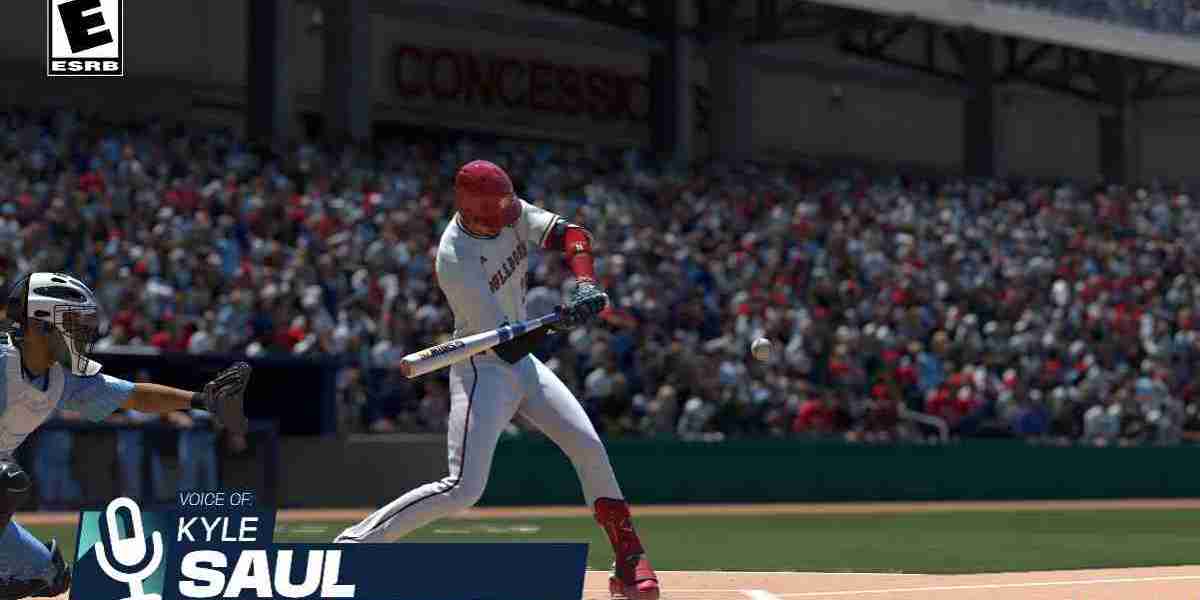
The default hitting camera shows your entire batter, the umpire, and a beautiful view of the stadium. It looks great, but it ruins your depth perception. You are positioned too far away to properly read the spin on the ball or notice the exact release point of the pitcher.
Change your Hitting View to Strike Zone (or Strike Zone High if you prefer a slightly higher vantage point).
This view zooms the camera in tightly, cutting out the batter completely. Your entire screen is filled with the pitcher and the strike zone.
[Standard View: Too Distant] ───> [Strike Zone View: Zoomed & Focused](Shows stadium, crowd, batter) (Shows only pitcher's arm & plate)By switching to Strike Zone, you cut down the visual distance from the pitcher's hand to the plate by roughly 40% on your screen, making it significantly easier to tell a strike from a ball. MLB The Show 26 also features an option called Hitting Depth of Field. Keep this turned On. It blurs out the crowd and the stadium background behind the pitcher, forcing your eyes to lock onto the ball.
3. Clean Up Your PCI Settings
By default, the PCI is an oversized, crowded graphic with inner rings, outer rings, and center dots. It blocks your view of the ball. You want to make it as clean and minimal as possible.
Go to your PCI settings and apply these changes:
PCI Center: Set to Bat. This changes the middle indicator to a small, clean bat icon that shows you exactly where the sweet spot is.
PCI Inner: Set to None.
PCI Outer: Set to None.
PCI Transparency: Drop this down to 30% or 40%.
PCI Color: Choose something high-contrast but not blinding, like Cyan or Yellow.
By turning off the inner and outer rings, you remove the visual clutter. You no longer look at a massive target; you simply move the tiny bat icon directly to the baseball.
4. Fix Your PCI Sensitivity
A massive problem for beginners is "PCI slamming." When a pitch is thrown low, your instinct is to push the analog stick all the way to the bottom, causing you to completely drop under the ball.
MLB The Show 26 features a PCI Sensitivity Slider.
If you find yourself constantly over-correcting and jerking the stick too far, pull the slider all the way to the left (slowest setting).
This dampens your inputs, meaning a hard flick of the stick will only move the PCI slightly, keeping you aligned with the ball. As your muscle memory improves, you can gradually tick it back to the right.
5. Controls and Swing Types: Stick to Normal
When you step into the batter's box, you have three swing options: Normal, Power, and Contact.
| Swing Type | Controller Input (PS / Xbox) | Best Used For | Penalty / Benefit |
| Normal Swing | X / A | 95% of all at-bats | No penalties. Best balance of contact and power. |
| Power Swing | Square / X | Up 3-0 in the count | Shrinks your PCI size by roughly 30%. High risk. |
| Contact Swing | Circle / B | Two-strike counts (0-2 or 1-2) | Enlarges PCI, but completely saps your power output. |
As a beginner, delete the Power Swing from your brain. The tiny power PCI means you will swing and miss far too often. Stick to the Normal Swing as your absolute default. You can still easily hit 450-foot home runs using a normal swing if your timing is good and your PCI is centered.
Putting It Into Practice: Managing Your Strategy
Once your settings are optimized, you need to change how you think at the plate. Do not try to track the ball the millisecond it leaves the pitcher's hand. Instead, use the Crossover Method on lower difficulties like Rookie or Veteran.
Keep your PCI resting dead-center. Look at the pitcher's release point. If the ball stays relatively flat and looks like it is crossing right over the middle of the plate, do not even move your left stick—just time the pitch and press Normal Swing. On lower difficulties, the PCI is large enough to hit centered balls without you needing to move it at all.
Building a competitive Diamond Dynasty team to pair with these settings takes time, and you will need a solid stack of stubs to get the top-tier live series cards. While you can grind out programs for hours, players looking to skip the line often check out platforms like U4N to buy cheap MLB The Show stubs to quickly lock down their favorite players. Whether you choose to grind it out or boost your budget, having your settings locked in ensures you won't waste those players' attributes when you step up to the plate.
Head into the Custom Practice mode, set the pitcher to throw nothing but fastballs down the middle to lock in your timing, and then slowly introduce breaking balls. With these settings, your learning curve will be days instead of weeks.